After saving your home charging location, the app will prompt you to connect your EV.
Important Note on Data Subscriptions
Some automakers require an active software subscription to share location data with third-party apps like ev.energy.
Not ready to connect your vehicle? That’s perfectly fine. If you prefer not to link your EV directly, simply select "Waive Vehicle" instead of your car brand, and onboard your charger. This adds a "placeholder" EV to your account.
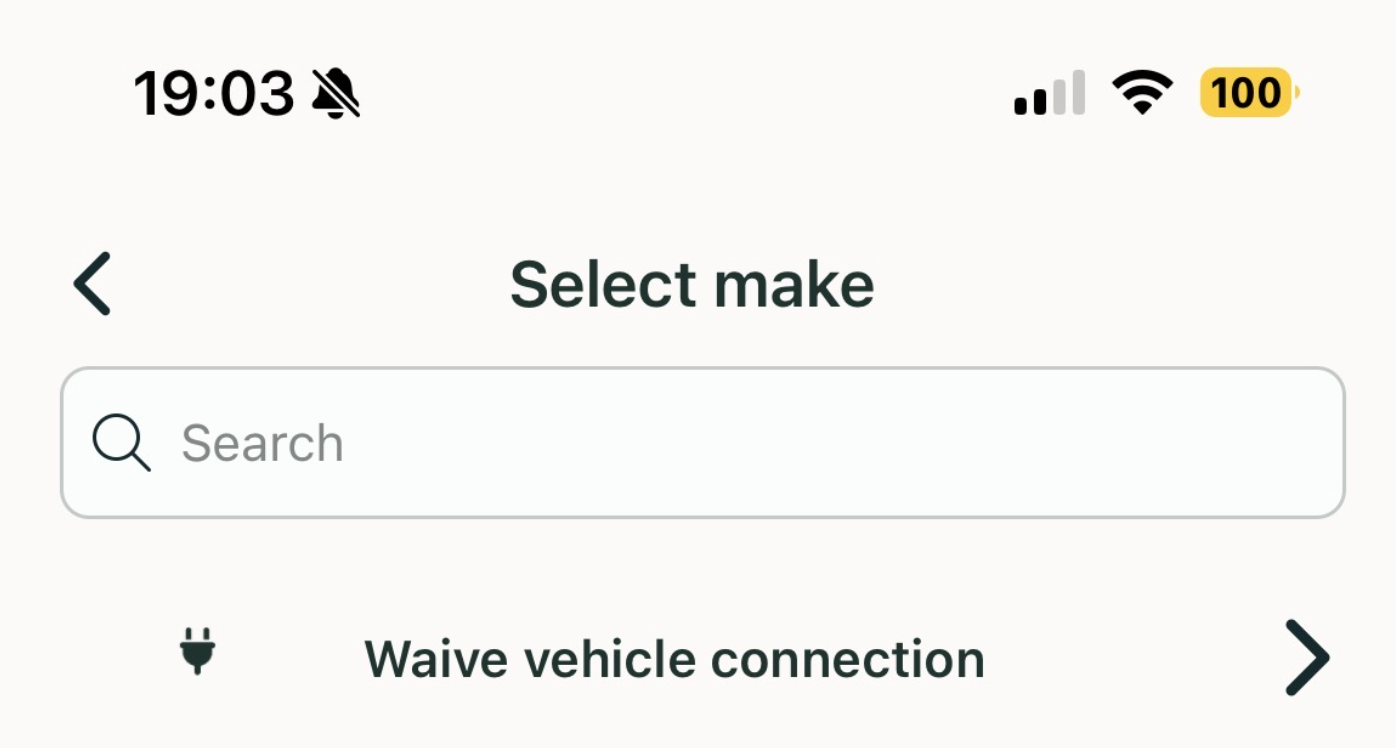
Why is this necessary? Even if you only plan to connect your home charger, our system requires a "Vehicle ID" to properly track and pair your charging sessions.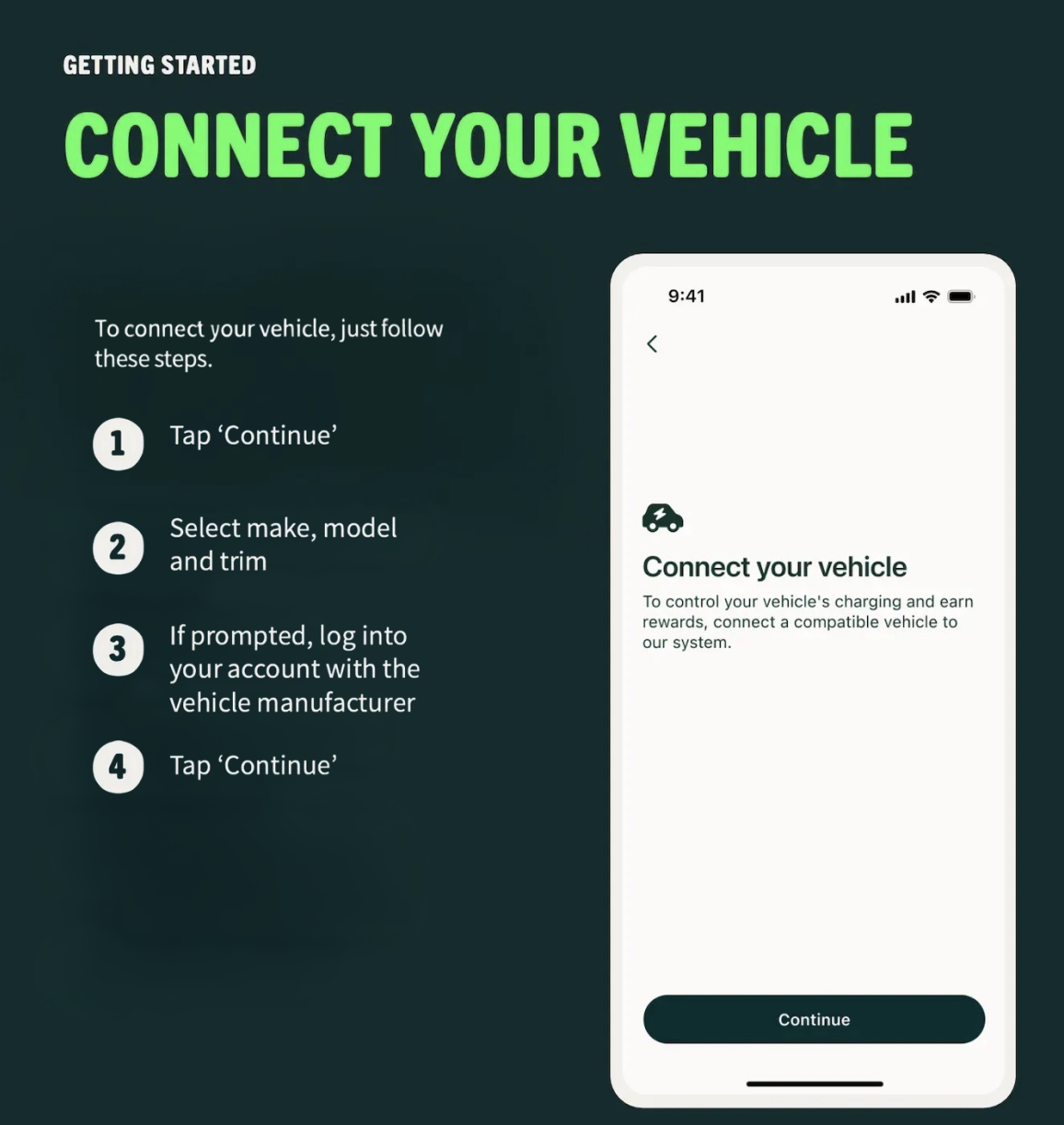
How do I add another vehicle?
Open the ev.energy app.
Tap the settings wheel in the top-left corner.
Tap “Add” next to the “Vehicles” section.
Follow the prompts to connect your vehicle.
Active subscription services may be needed depending on make and model.
Managing Your Vehicle
To keep your account active, our system always requires a "placeholder" EV. Please do not delete your vehicle unless you have sold it or wish to leave the program entirely.
Switching to Charger-Only Mode?
If you want to disconnect your EV but stay in the program using your home charger, we’re here to help!
Please contact our support team at eversource-ma@ev.energy.
We will help you convert your "online" vehicle to an "offline" version so your charging sessions continue to track correctly.
Was this article helpful?
That’s Great!
Thank you for your feedback
Sorry! We couldn't be helpful
Thank you for your feedback
Feedback sent
We appreciate your effort and will try to fix the article