To help your account find your Autel home charger, you must first point the charger towards our backend through the Autel Charge app.
This ensures your device is visible to the ev.energy platform for managed charging and incentives.
IMPORTANT: You need to have your phone connected to the Autel charger via Bluetooth to see and enter the "Utility Program" menu option.
How to Connect Your Autel Charger to ev.energy
Please follow these steps within your Autel Charge app to complete the connection:
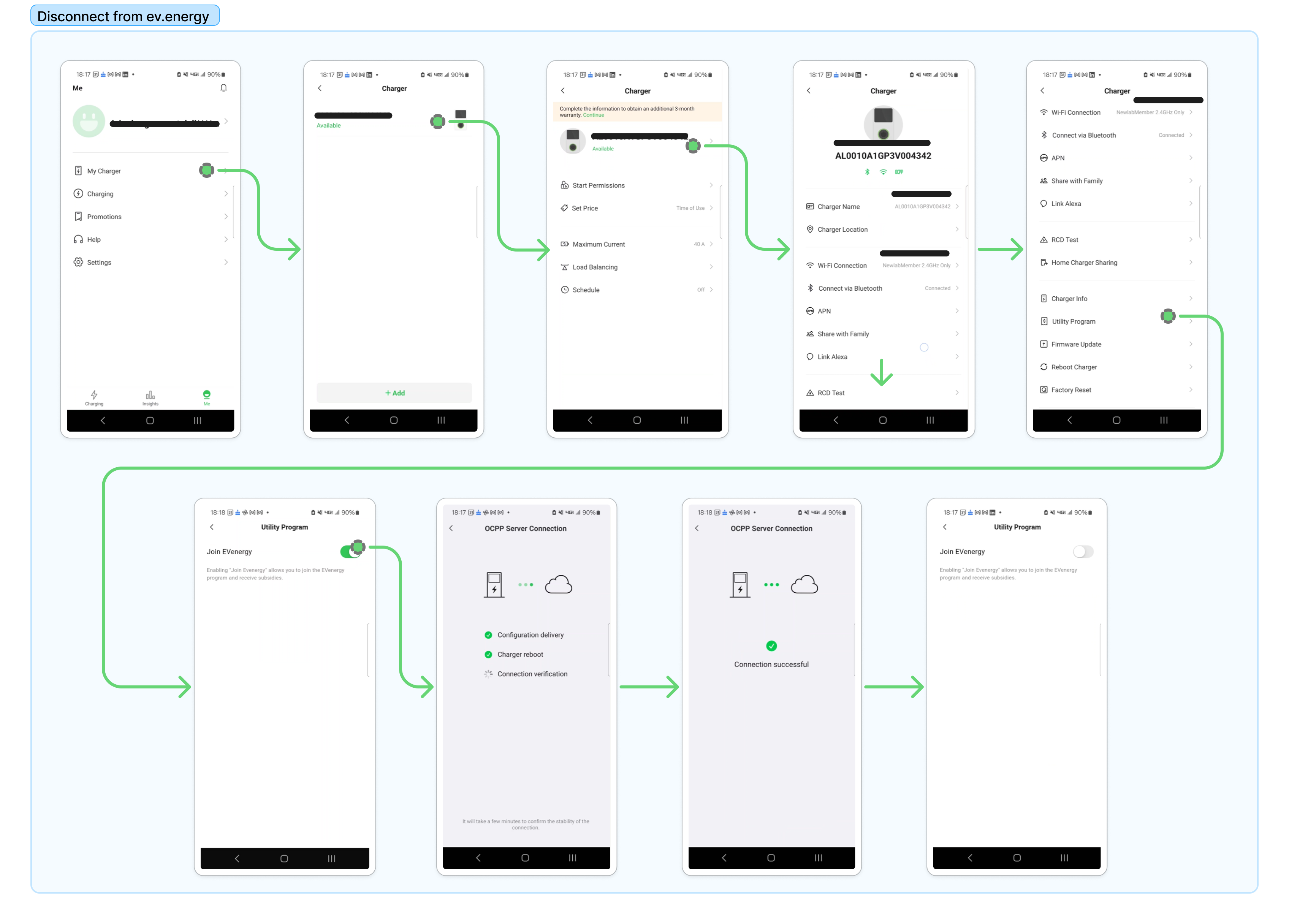
Open Charger Settings: Navigate to the "Me" tab at the bottom of the screen and select "My Charger."
Select Your Device: Tap on your active charger from the list to open its specific settings menu.
Access Utility Programs: Scroll down the menu and select the "Utility Program" option.
Join ev.energy: Locate the "Join EVenergy" toggle and switch it to the ON position.
Confirm Connection: Your charger will then initiate an OCPP (Open Charge Point Protocol) handshake to point its data toward our servers. Once the screen displays "Connection successful," your charger is ready to be finalized in the ev.energy app.
Pro Tip: You will need your charger's 18-character serial number to finish setup in the ev.energy app. You can find this number in the "Charger Info" section of your Autel app or on the physical sticker located on the side of your charger.
Was this article helpful?
That’s Great!
Thank you for your feedback
Sorry! We couldn't be helpful
Thank you for your feedback
Feedback sent
We appreciate your effort and will try to fix the article